
Tiandy · Guide
Forgotten password on the recorder
Reset with security questions, and without recovery details.
Step 1 of 5
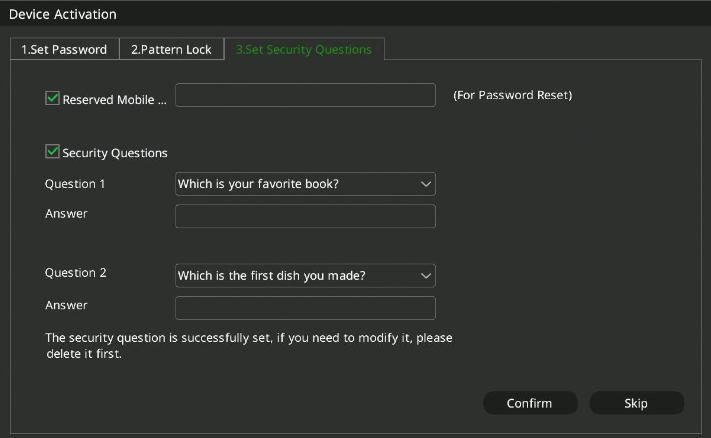
Recovery details
If you set a reserved phone number or security questions beforehand, you can reset the password directly on the recorder. The recorder asks for them at activation.
Step 2 of 5
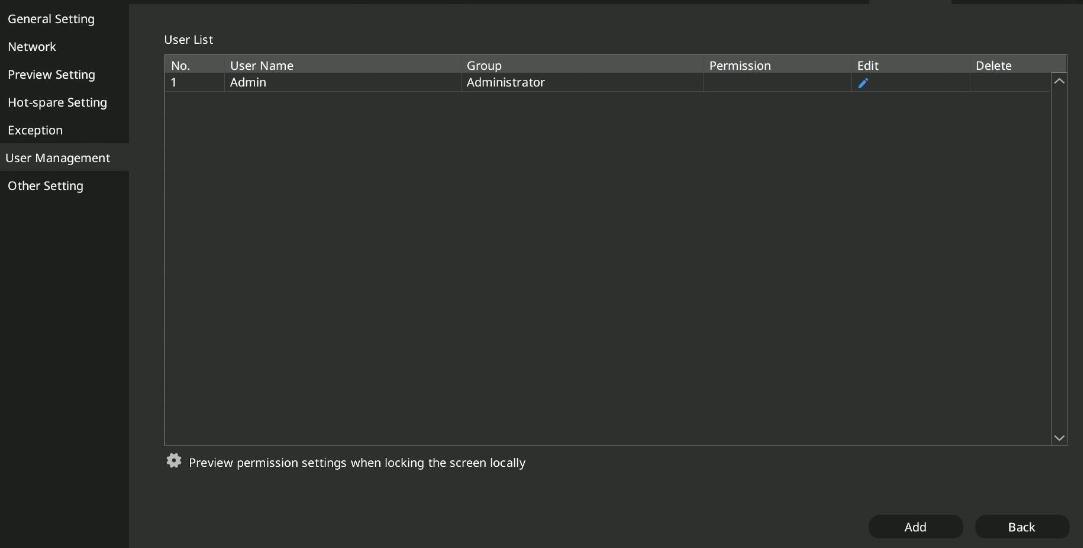
Adding them later
If you skipped it at activation, open Main Menu → System Settings → User Management and edit the admin user.
Step 3 of 5
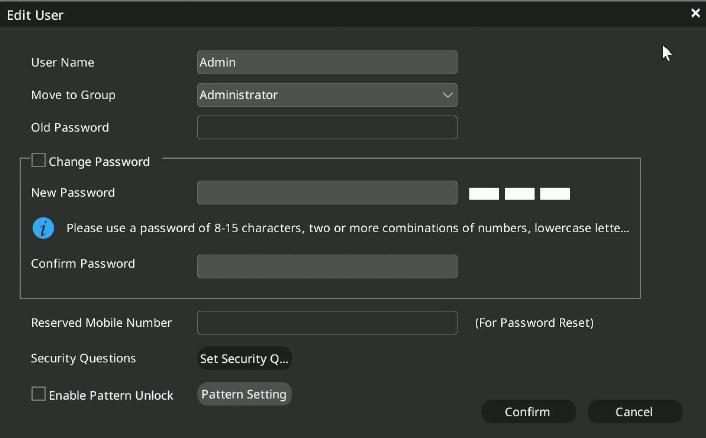
Phone number and security questions
In the Edit User window enter the reserved phone number (Reserved Mobile Number), and use Set Security to add two security questions with your answers. To save, you also need to enter the current password.
Step 4 of 5
Reset at login
If you have forgotten the password, click Forgot Password in the login window and answer the security questions; then you can set a new one.
Step 5 of 5
Without recovery details
If you set neither a phone number nor security questions, export a key file from the recorder with the SearchConfig tool; the unlock code is issued by the manufacturer.
Good to know: After five wrong passwords in a row the recorder locks login for 5 minutes. Only the admin user can log in with the unlock pattern.
Source: NVR user manual (local interface), sections 4.2 and 4.14.6. Screenshots from the manufacturer's manual.
Network video recorder (NVR): user manual for the local interface PDF · in English · 278 pages · 12.6 MB
More guides
Need help with the installation?
Send the exact camera and recorder models, the problem and what you have already tried. We reply by email. Do not send passwords.
On working days we reply the same day.
Write a message