
Tiandy · Guide
Tripwire and intrusion detection
A line or area on the image, arming time and alarm.
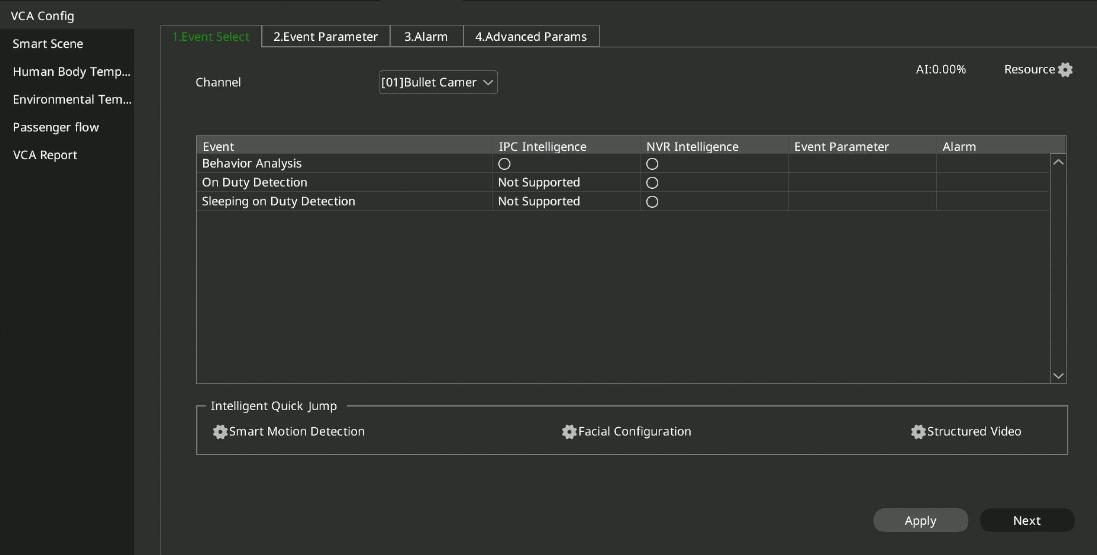
Step 1 of 5
Choosing the analysis
Open Main Menu → Intelligent Analysis → Intelligent Configuration, Event Selection tab, and choose the channel. The list shows what the camera (IPC) and what the recorder (NVR) can do. An analysis can run on only one of them at a time; an analysis running on the recorder uses the recorder's computing capacity.
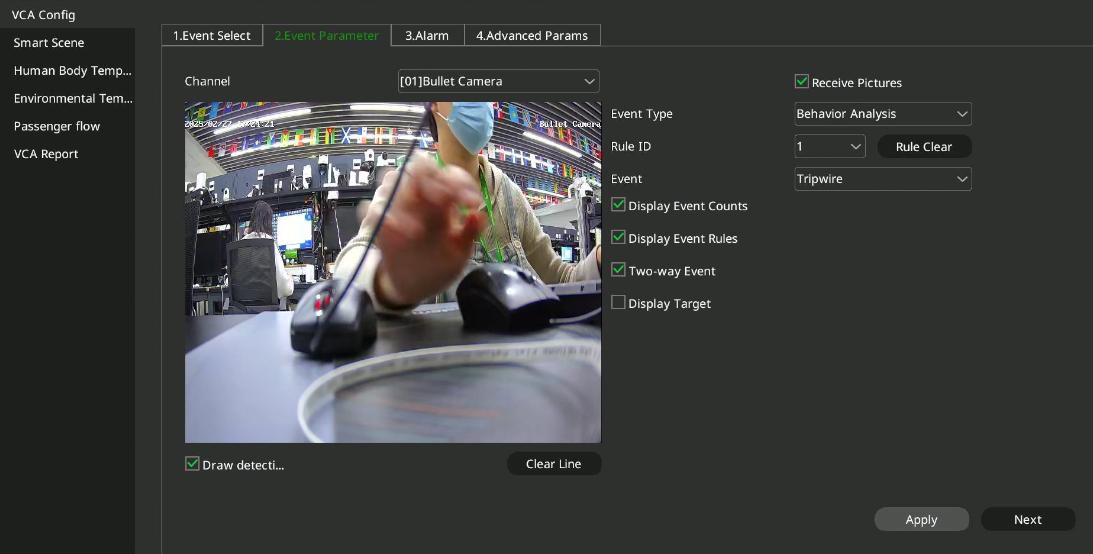
Step 2 of 5
Rule and line
On the Event Parameter tab choose a rule number (up to 8 per channel) and an event: tripwire, double tripwire, perimeter or another analysis. Tick Enable Line Drawing and draw the line or area on the image.
Step 3 of 5
Sensitivity
Sensitivity can be set from 0 to 100: the alarm starts when the target enters the area by the set proportion. With Display rule on, the rule is also shown on the image.
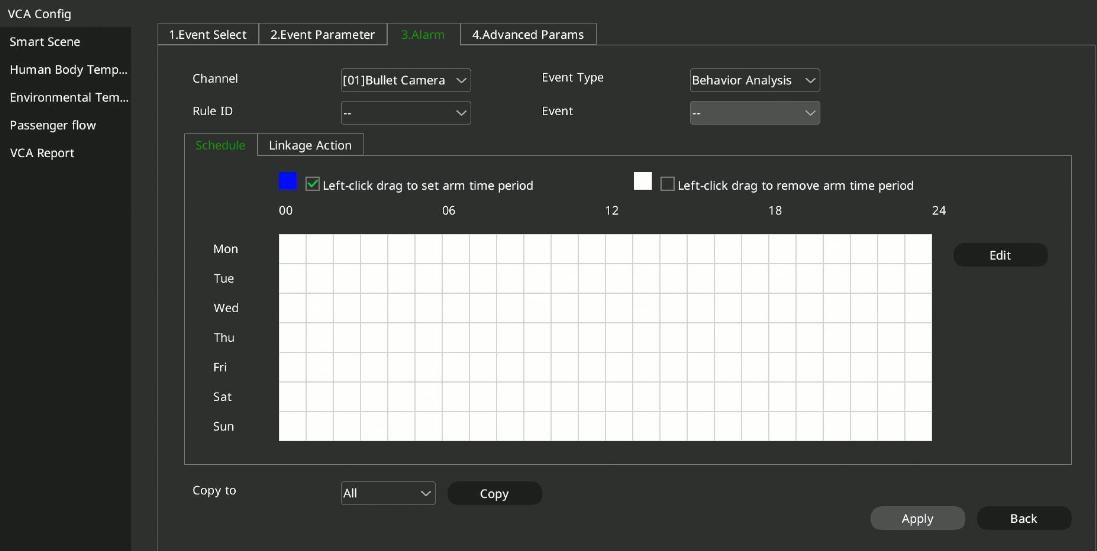
Step 4 of 5
Arming time and alarm
After Next, set when the rule is armed and what happens on an alarm: sound, image on the monitor, recording, alarm output, PTZ movement or snapshot. Then click Apply.
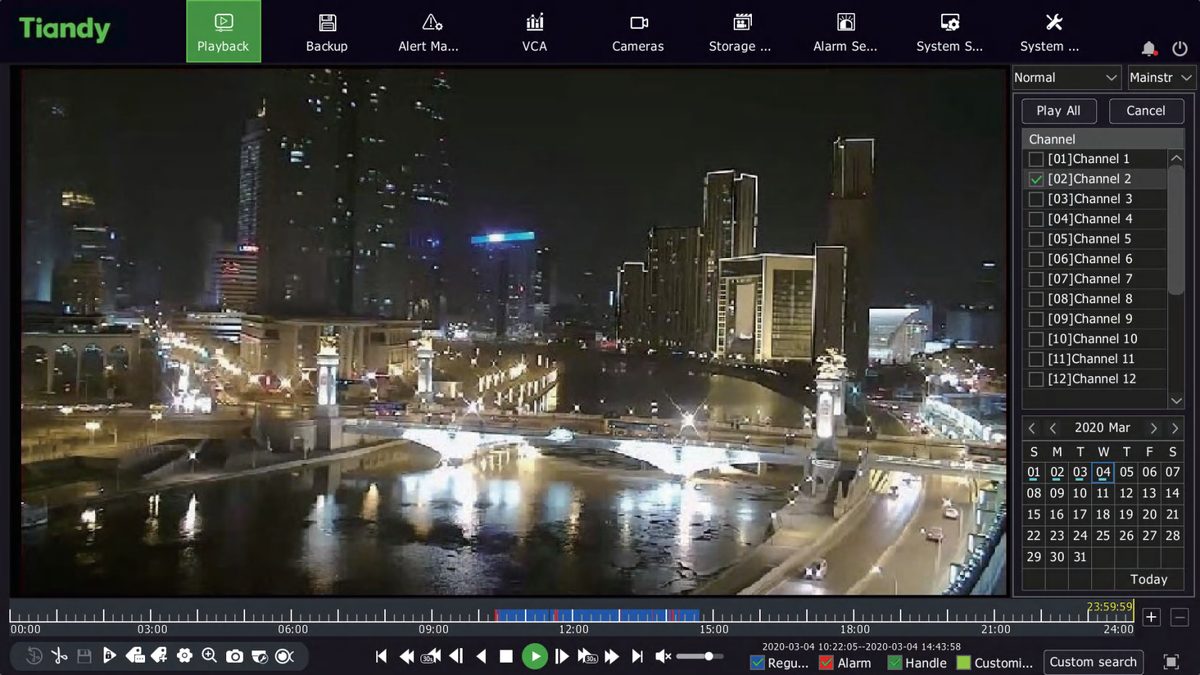
Step 5 of 5
Playback by event
You can find alarm footage on the Playback screen in Event mode, by event type; playback skips the parts without events.
Good to know: Which events you can choose depends on the algorithms of the camera and the recorder: the list shows the analyses actually supported on each channel.
Source: NVR user manual (local interface), sections 4.6.4 and 4.10.1. Screenshots from the manufacturer's manual.
Network video recorder (NVR): user manual for the local interface PDF · in English · 278 pages · 12.6 MB
More guides
Need help with the installation?
Send the exact camera and recorder models, the problem and what you have already tried. We reply by email. Do not send passwords.
On working days we reply the same day.
Write a message