
Tiandy · Guide
Playback and saving to a USB drive
Finding footage by calendar and event, saving to USB.
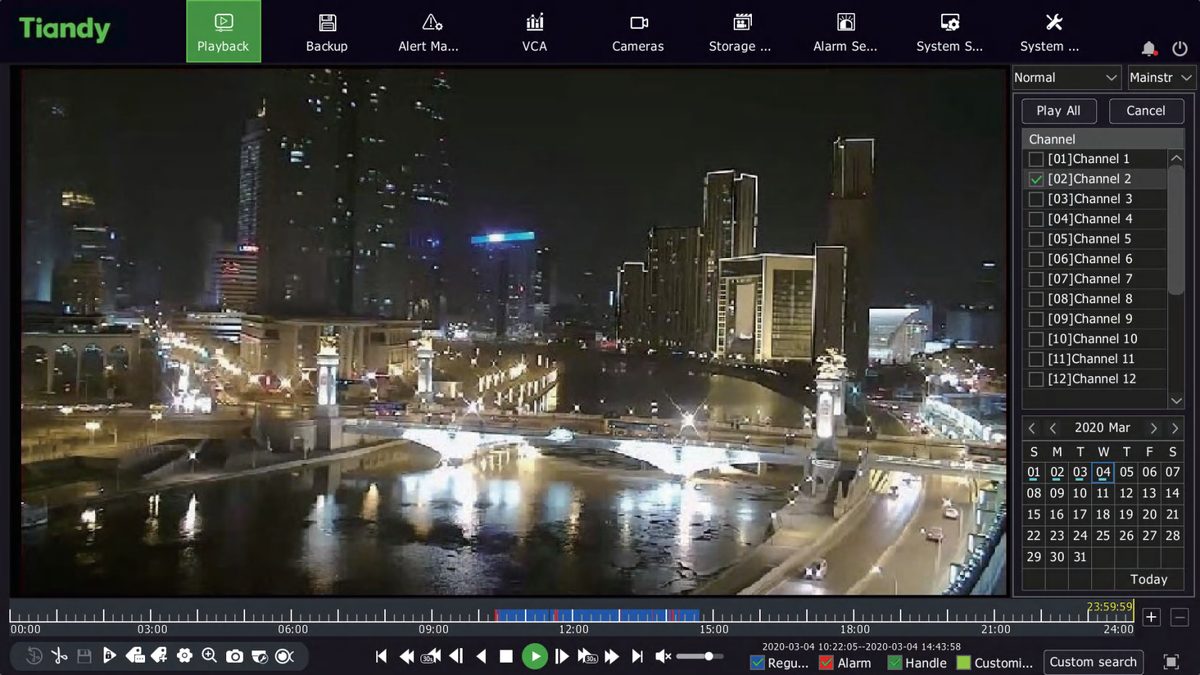
Step 1 of 5
The playback screen
Open Main Menu → Playback, or right-click the live view and choose Playback. Choose the channel: the calendar shows which days have footage.
Step 2 of 5
Playback and search by event
Click the day and the recorder plays the footage; you can also watch it faster or slower. In Event mode you can choose an event type (motion, alarm input, video loss, tampering, intelligent analysis), and playback shows only the parts with events.
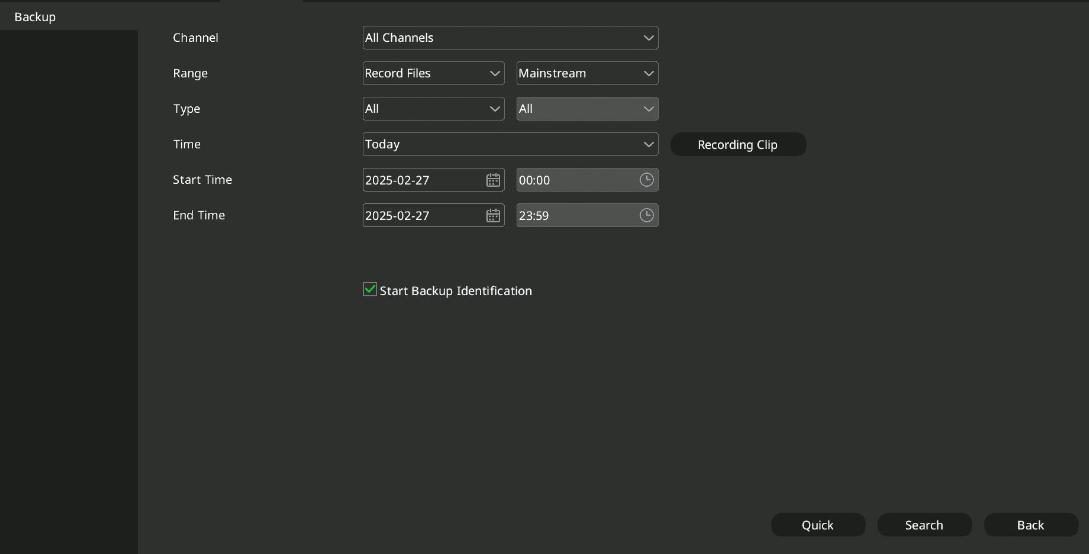
Step 3 of 5
Starting the backup
Plug a USB drive or external hard disk into the recorder and open Main Menu → Backup. Choose the channel, the start time and the end time.
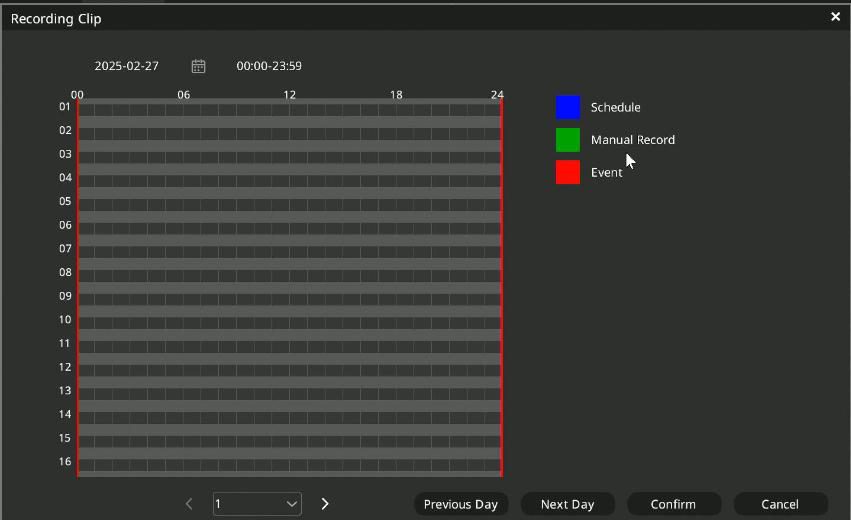
Step 4 of 5
Choosing the period
Video Snapshot shows the recordings of the selected day by time period; from there you can mark the period to save.
Step 5 of 5
Saving to the USB drive
Query Backup lists the recordings. Select the ones to save, click Backup and choose the target folder on the USB drive.
Good to know: Quick playback: on the live view select the channel, and the playback button in the quick menu plays the last 5 minutes of footage.
Source: NVR user manual (local interface), sections 4.6 to 4.7; NVR quick start guide, point 8. Screenshots from the manufacturer's manual.
Network video recorder (NVR): user manual for the local interface PDF · in English · 278 pages · 12.6 MB
More guides
Need help with the installation?
Send the exact camera and recorder models, the problem and what you have already tried. We reply by email. Do not send passwords.
On working days we reply the same day.
Write a message