
Tiandy · Guide
Activating several cameras at once with SearchConfig
Network search, selection and one password for several cameras.
Step 1 of 6
The tool and the network
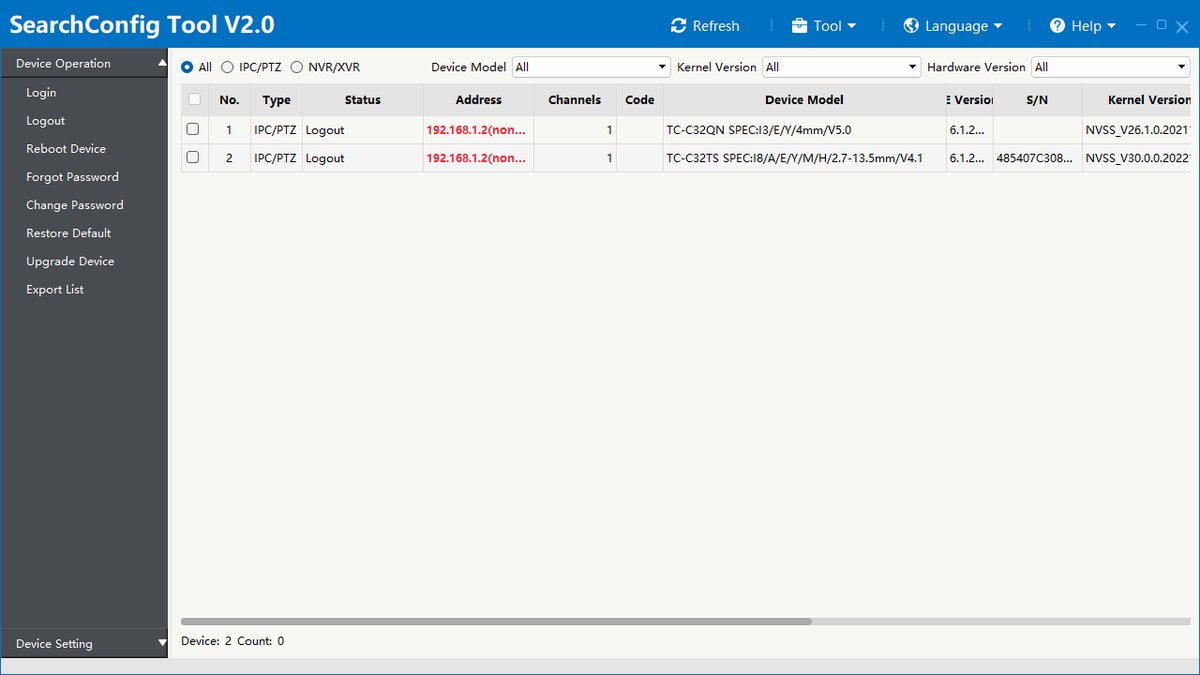
The computer and the cameras must be on the same local network. Download SearchConfig from the Downloads page (Windows and Mac) and start it.
Step 2 of 6
Searching the network
The tool lists the Tiandy devices on the network; Refresh searches again. Devices not yet activated show their address in red.
Step 3 of 6
Selecting the devices
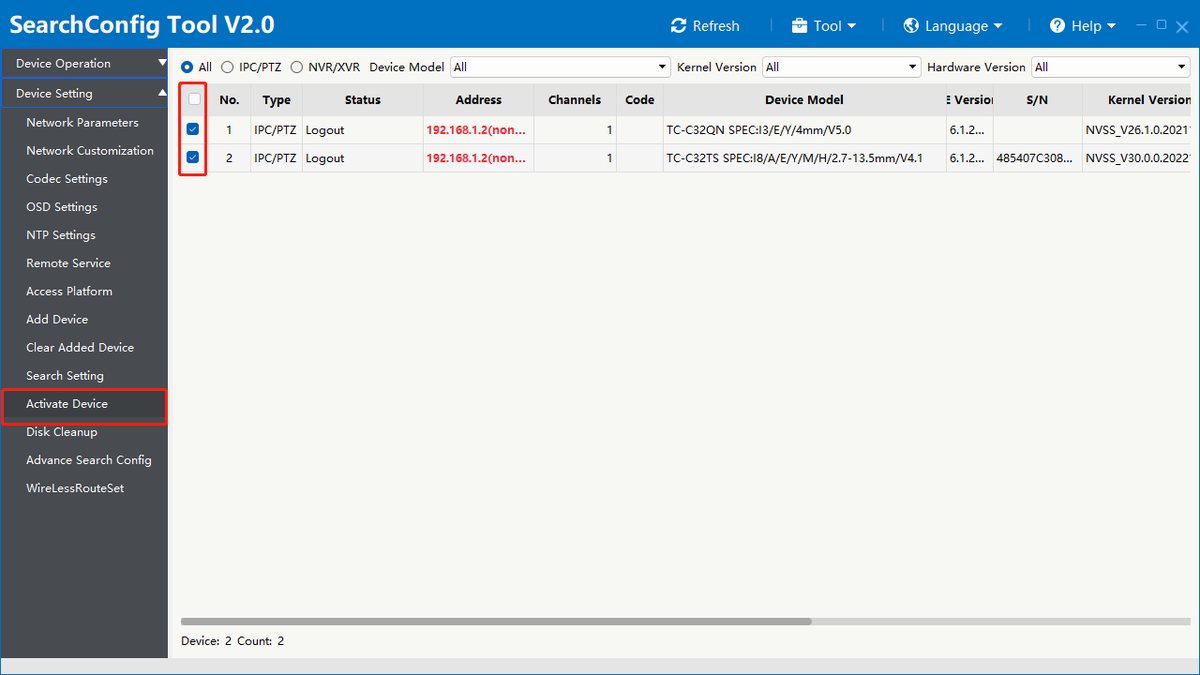
Tick the devices to activate at the start of their rows, several at once if you like, then choose Device Activation in the left menu.
Step 4 of 6
One admin password for all
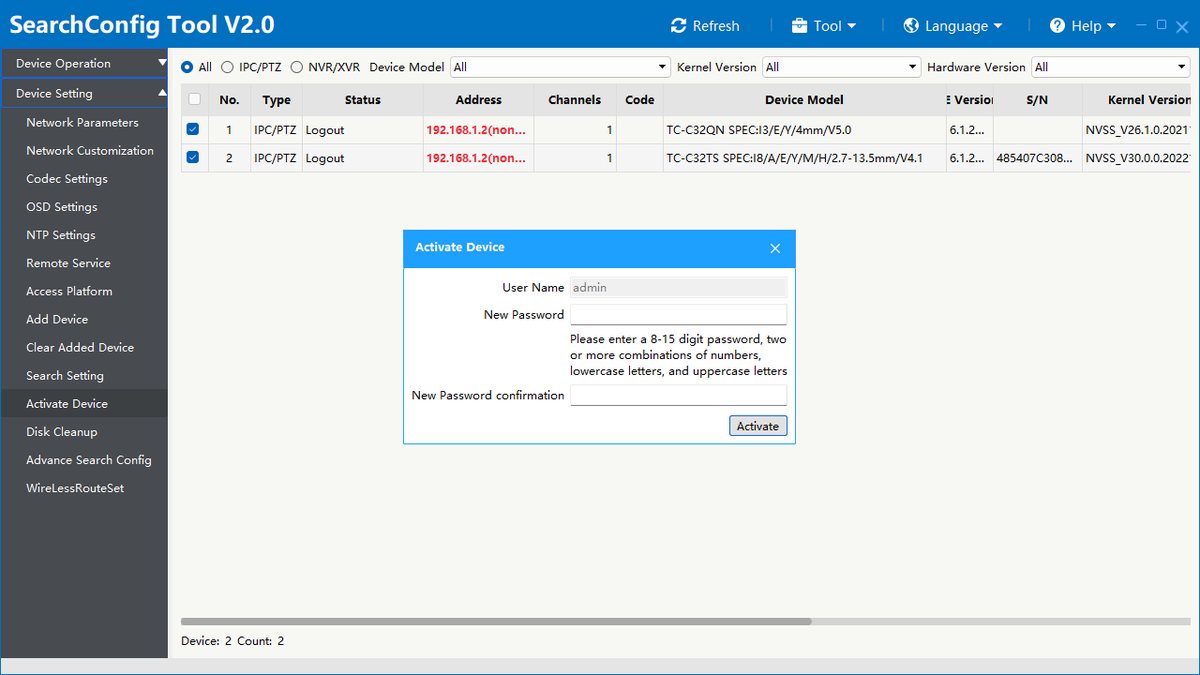
In the Activate Device window the user name is admin. Enter the new password twice: 8 to 15 characters, with at least two of digits, lowercase and uppercase letters. Then click Activate.
Step 5 of 6
The result
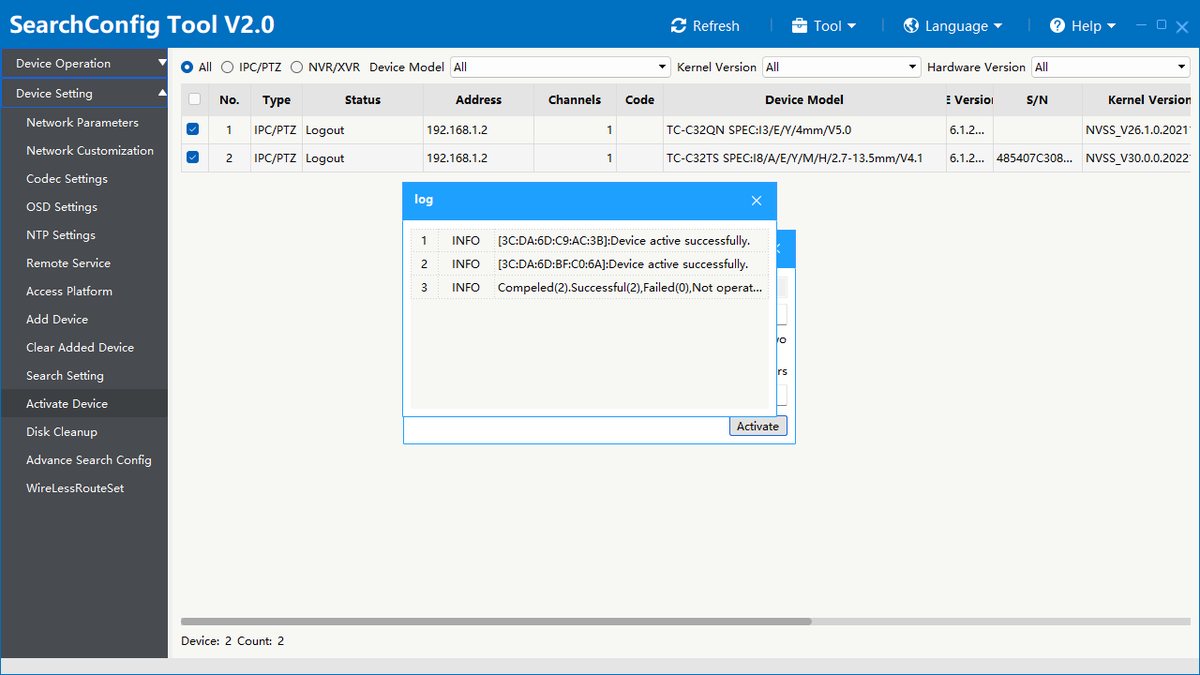
The log window shows for each device whether activation succeeded (Device active successfully), and the last line gives the summary: how many succeeded and how many failed.
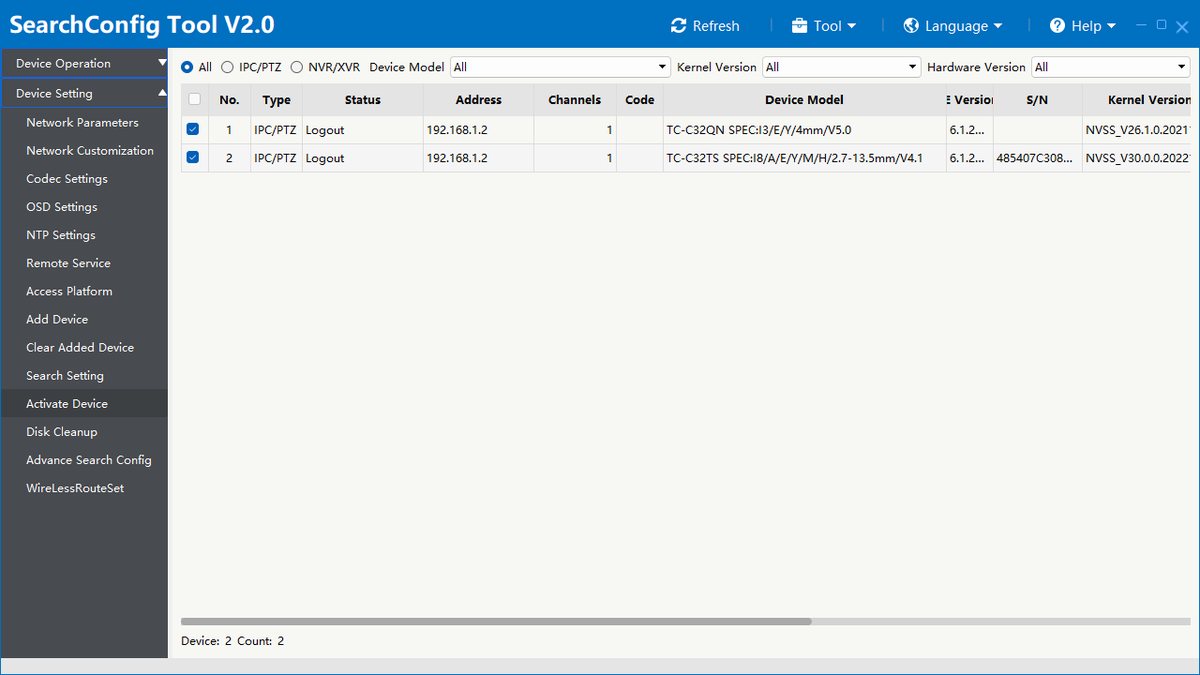
Step 6 of 6
Checking the list
If the addresses are no longer red, activation succeeded. From now on the devices are reached with the new password.
Good to know: All selected devices get the same admin password. According to the manufacturer, version 3.1.0 of the tool can also reset passwords in bulk.
Source: Tiandy guide: "How to activate devices in bulk on SearchConfig Tool", 2023. The screenshots show version 2.0 of the tool; the menu of the current version 3.1.0 may differ. Screenshots from the manufacturer's manual.
SearchConfig: activating devices in bulk (manufacturer guide) PDF · in English · 4 pages · 0.5 MB
More guides
Need help with the installation?
Send the exact camera and recorder models, the problem and what you have already tried. We reply by email. Do not send passwords.
On working days we reply the same day.
Write a message