
Tiandy · Guide
Setting the recording schedule
When and what the recorder records, and what happens when the hard disk is full.
Step 1 of 5
Recording rules
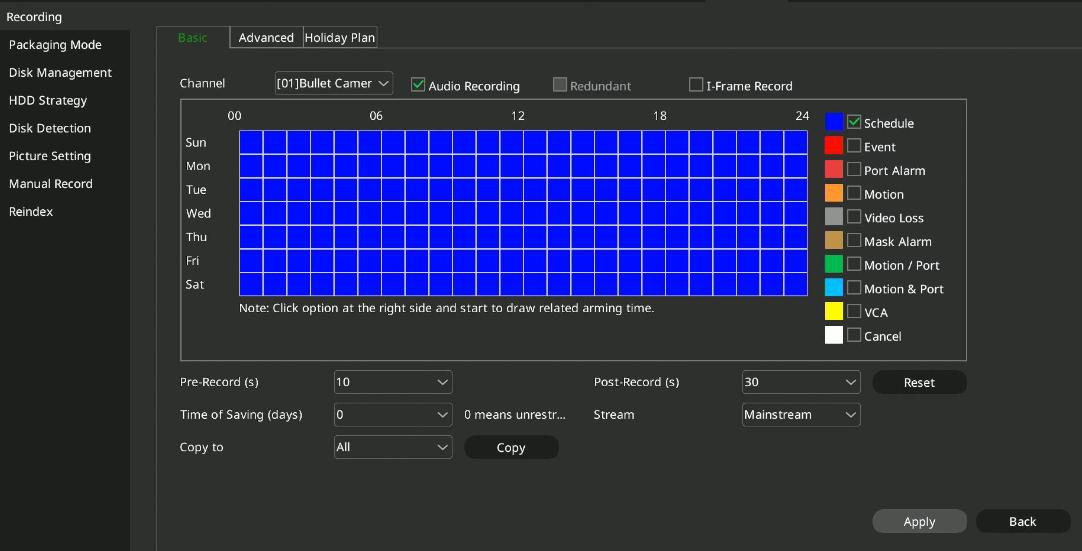
Open Main Menu → Storage Settings → Video Strategy, Basic Settings tab, and choose the channel.
Step 2 of 5
Recording type and time period
Choose a recording type (for example continuous and alarm, motion detection or intelligent analysis), then drag the time period on the weekly table with the mouse. The marked period gets the chosen type.
Step 3 of 5
Before and after the event
For alarm recording you can set how many seconds the recorder records before and after the event: with 5 seconds, the recording also contains the 5 seconds before and after the event. Here you also set how many days to keep the footage (up to 120 days, 0 means no limit) and which stream to record. Then click Apply.
Step 4 of 5
Exact time periods
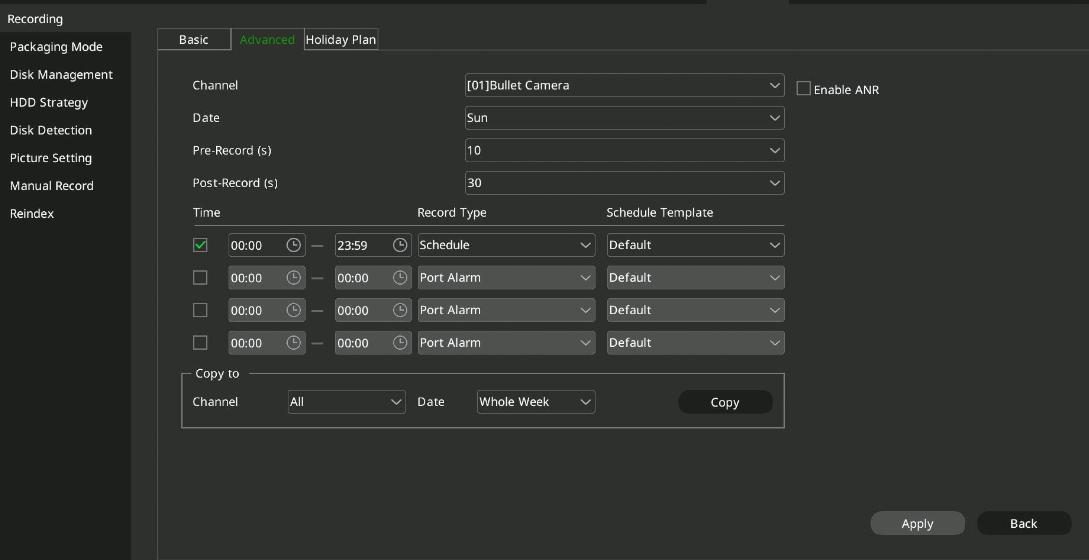
On the Advanced Settings tab you can set a start time, end time and recording type for each time period, and copy the settings to other channels and days. This is also where you turn on ANR: if the camera loses the connection, it records to its own storage and uploads the footage to the recorder once the connection is back.
Step 5 of 5
When the hard disk is full
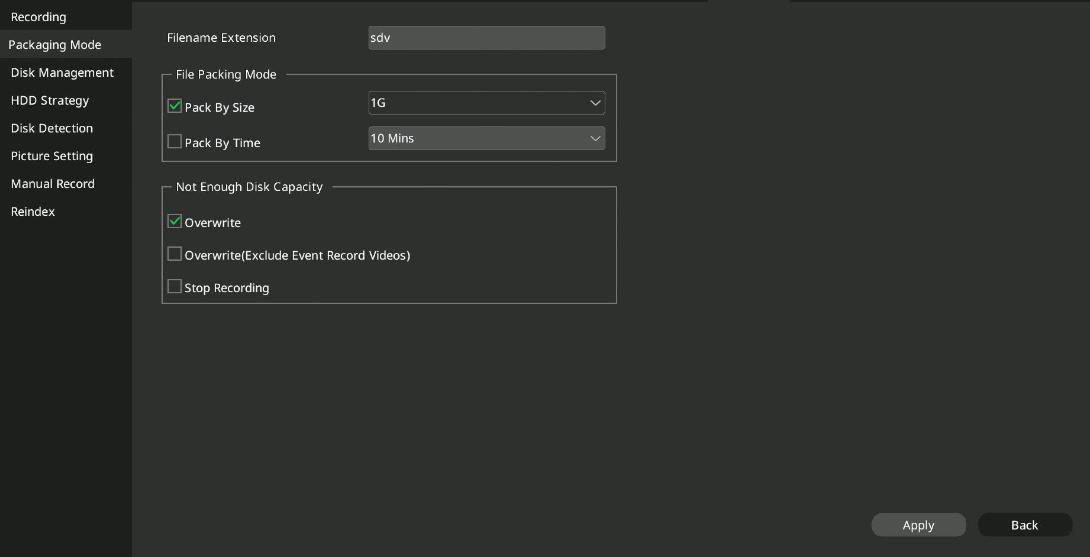
Under Main Menu → Storage Settings → Packaging Policy you can choose: the recorder stops recording (Stop recording), deletes the oldest recording (Circular deletion), or deletes the oldest but keeps alarm recordings.
Good to know: On the Holiday Plan tab you can set a separate schedule for holidays; when it is on, this schedule applies on holidays.
Source: NVR user manual (local interface), sections 4.12.1 to 4.12.2. Screenshots from the manufacturer's manual.
Network video recorder (NVR): user manual for the local interface PDF · in English · 278 pages · 12.6 MB
More guides
Need help with the installation?
Send the exact camera and recorder models, the problem and what you have already tried. We reply by email. Do not send passwords.
On working days we reply the same day.
Write a message