
Tiandy · Guide
Firmware update on the recorder
The file by manufacturer part number, update from a USB drive or the cloud.
Step 1 of 5
The right file
Firmware belongs to the manufacturer part number, not to the model name, because one name can cover several hardware versions. Check the part number on the recorder's label and look up the file by that number.
Step 2 of 5
Update from a USB drive
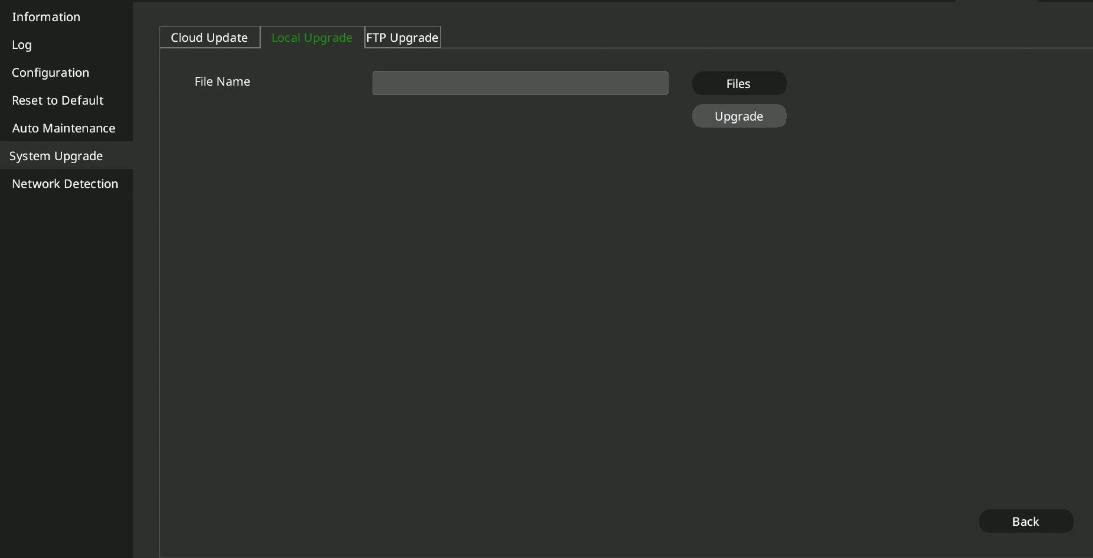
Copy the file to a USB drive, plug it into the recorder and open Main Menu → System Maintenance → System Upgrade, Local Upgrade tab. Select the file with Browse File and start the update.
Step 3 of 5
Update from the cloud
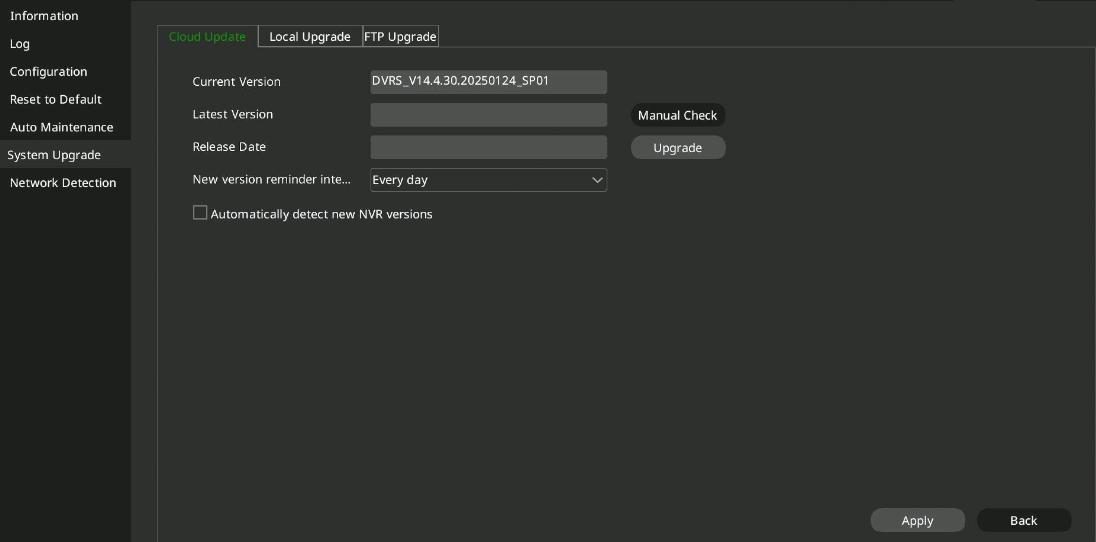
If the recorder has internet access, Manual Detection on the Cloud Upgrade tab checks for a newer version and Upgrade installs it. You can also turn on automatic checking for new versions.
Step 4 of 5
Update from FTP
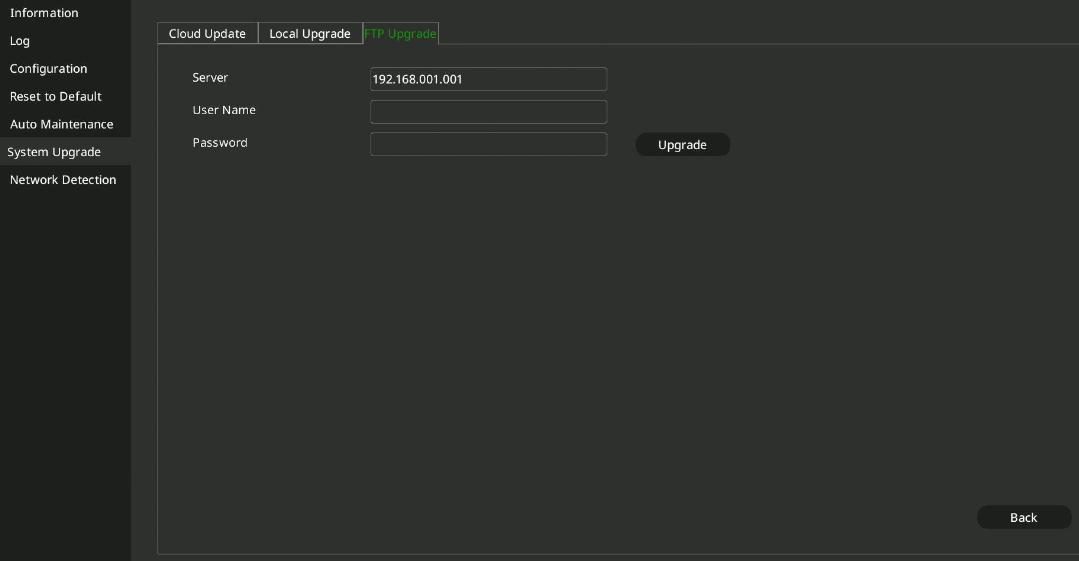
On the FTP Upgrade tab you can also update from an FTP server: enter the server address, user name and password.
Step 5 of 5
Restart
After a successful update the recorder restarts by itself and runs the new version. If you get an error message, or the recorder does not work properly afterwards, write to us.
Good to know: Do not cut the power while the recorder is running, especially not during an update. You can find the firmware for your manufacturer part number on the Downloads page.
Source: NVR user manual (local interface), section 4.15.6. Screenshots from the manufacturer's manual.
Network video recorder (NVR): user manual for the local interface PDF · in English · 278 pages · 12.6 MB
More guides
Need help with the installation?
Send the exact camera and recorder models, the problem and what you have already tried. We reply by email. Do not send passwords.
On working days we reply the same day.
Write a message