
Tiandy · Guide
Playing downloaded footage on a computer
Download from the web interface, conversion and playback with SearchConfig.
Step 1 of 9
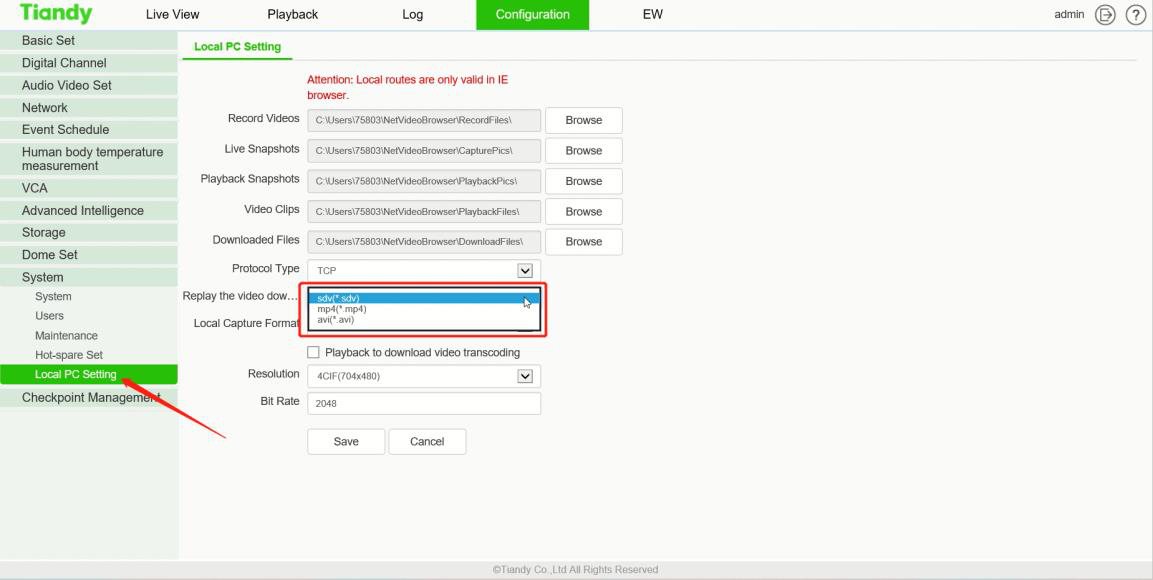
Download format
Log in to the web interface of the recorder or camera and open Configuration → System → Local PC Setting. Choose the SDV format here, and set the folder for downloaded footage.
Step 2 of 9
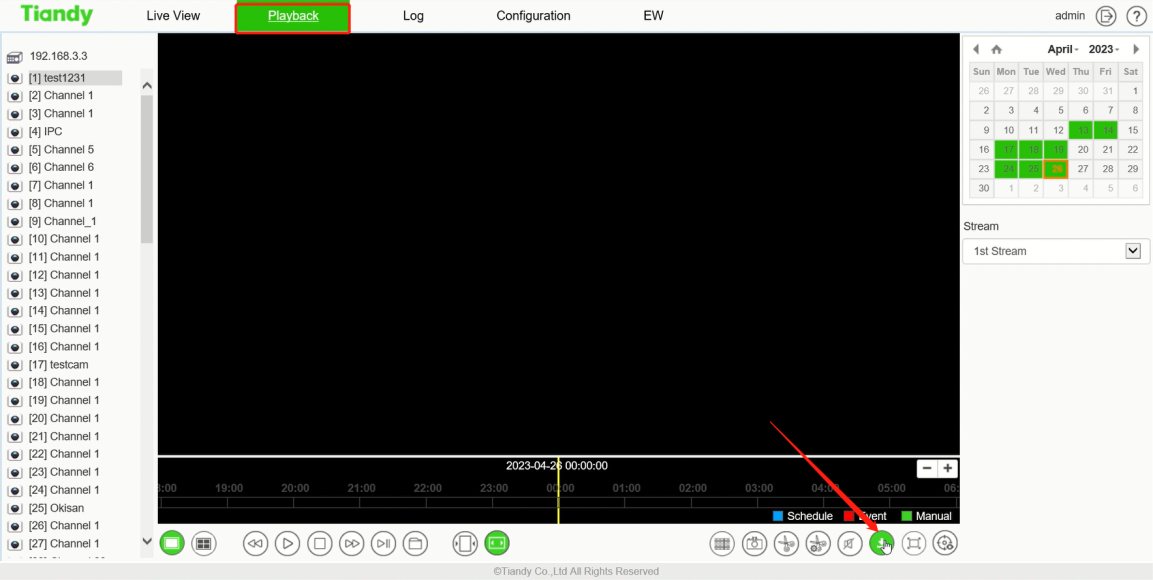
Downloading from playback
On the Playback page, click the download button in the bottom right corner.
Step 3 of 9
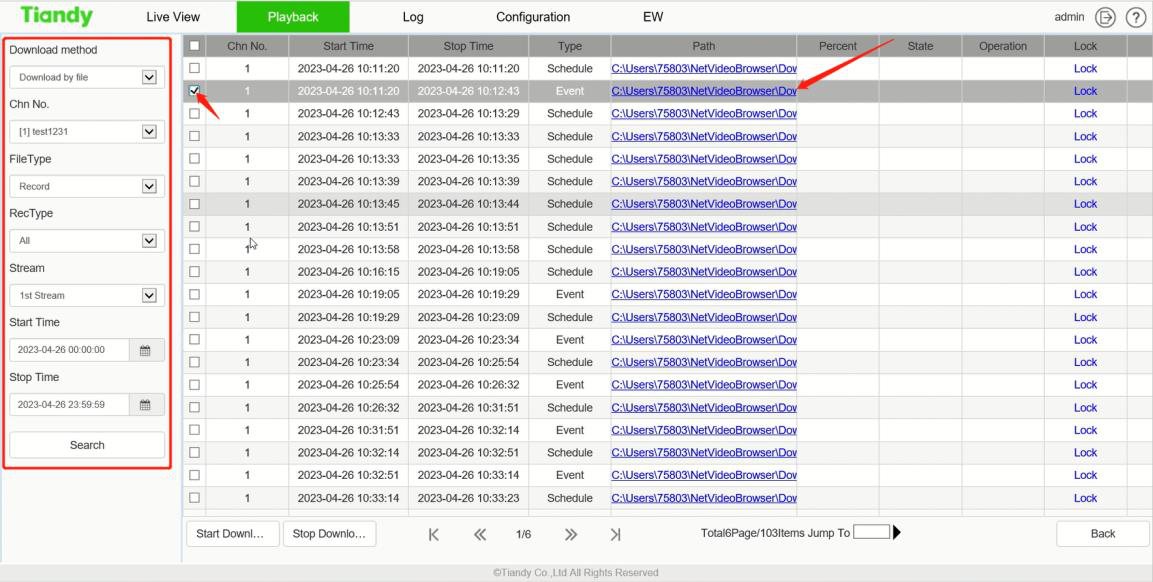
Selecting the footage
Filter the footage by channel, type and period, select what to download and click Start Download.
Step 4 of 9
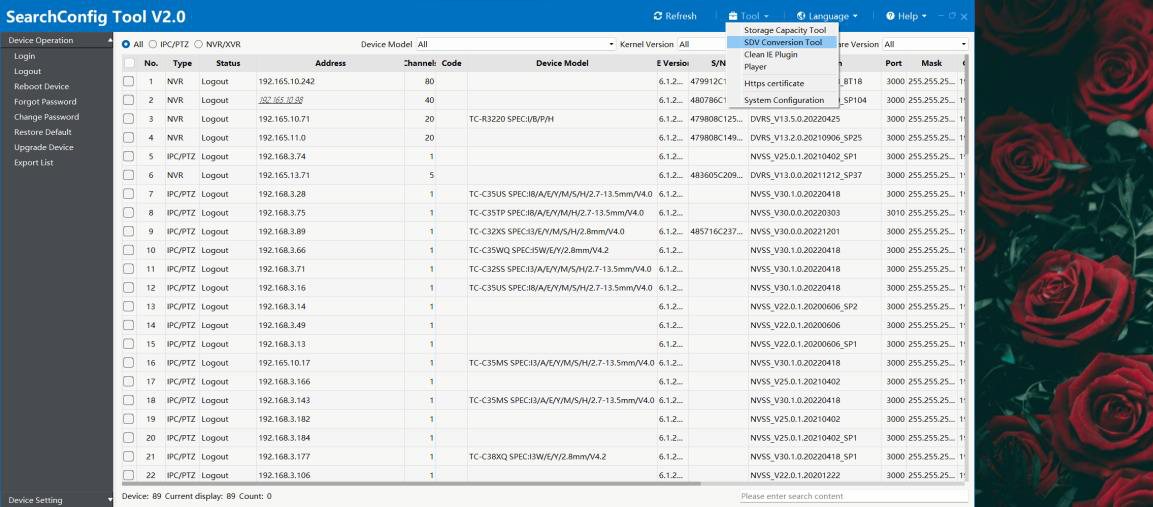
The tools in SearchConfig
In SearchConfig, open the Tool menu: this is where you find the SDV converter (SDV Conversion) and the player (Player).
Step 5 of 9
Conversion
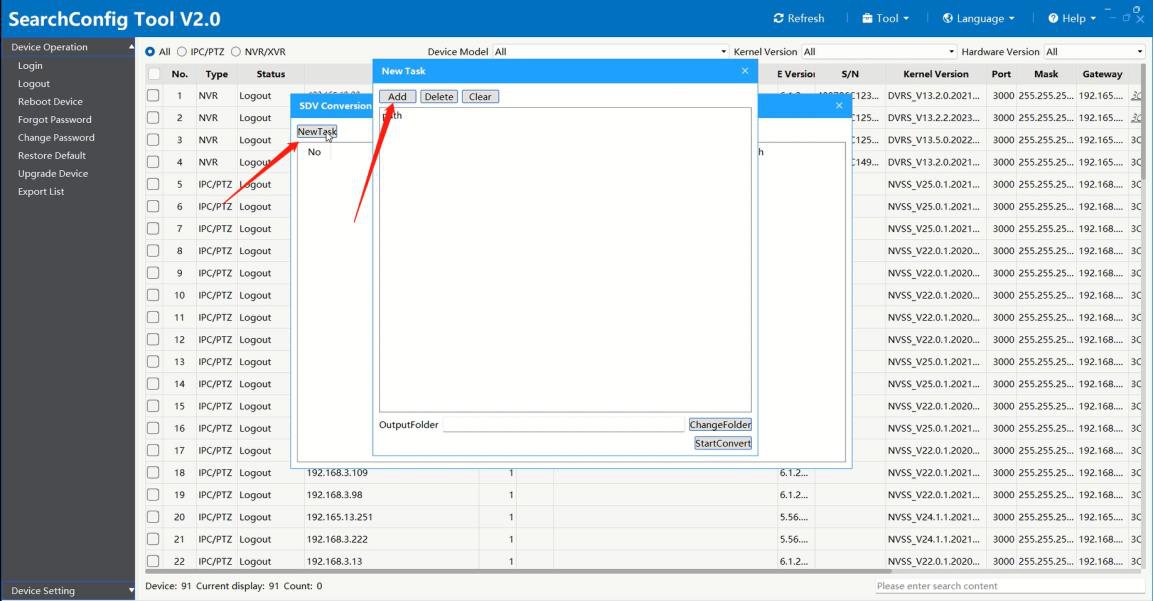
In the SDV Conversion window, add the SDV file with New Task, then start the conversion.
Step 6 of 9
Opening the footage
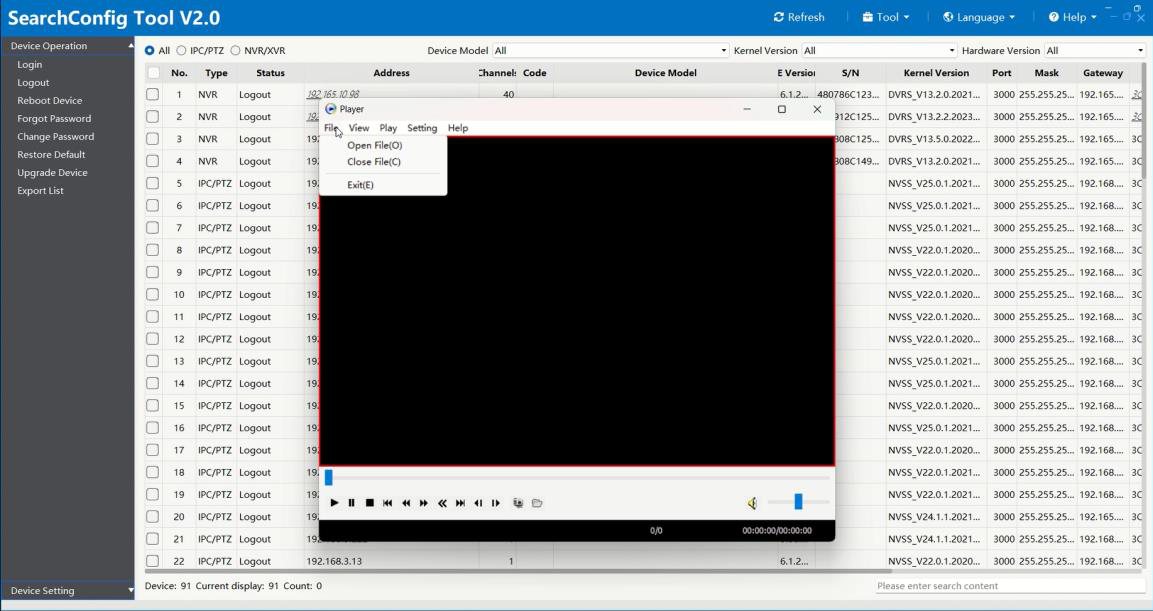
Open the Player and choose the footage with Open File in the File menu.
Step 7 of 9
View
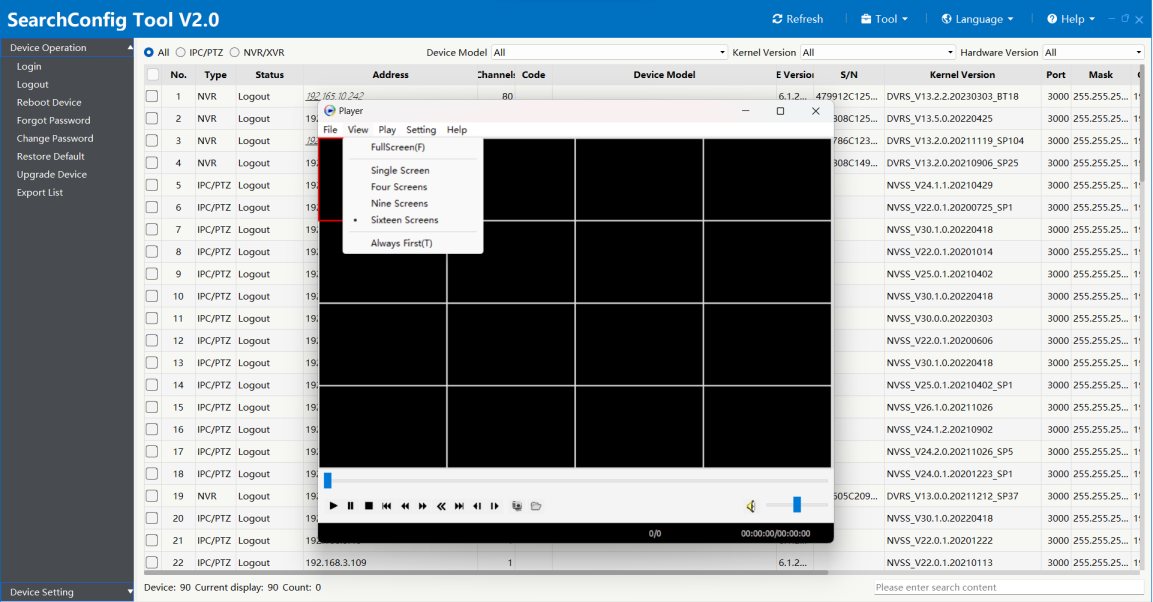
In the View menu you can choose a 1, 4, 9 or 16 window layout and switch to full screen.
Step 8 of 9
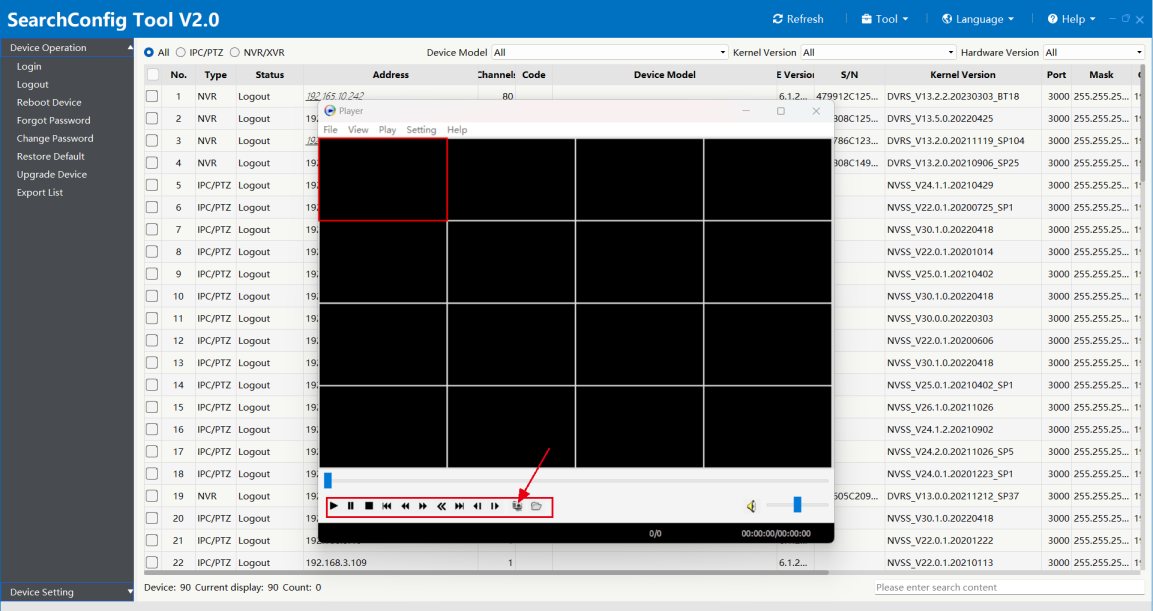
Playback controls
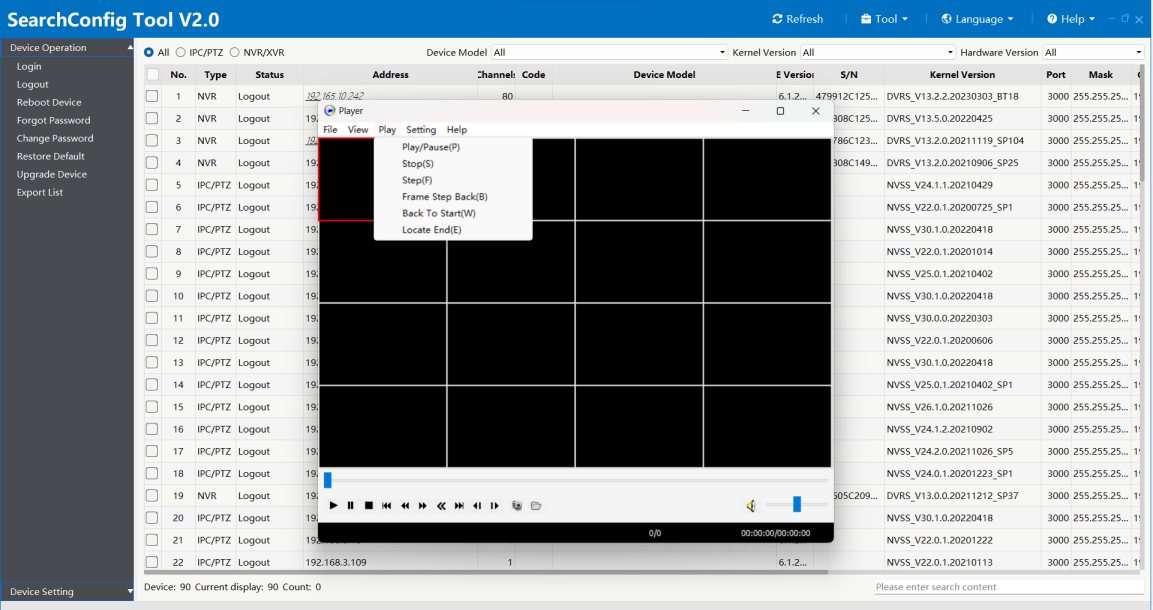
In the Play menu you can start and pause playback, step frame by frame forwards and backwards, and jump back to the start.
Step 9 of 9
Snapshot
The same buttons are in the bottom left corner, and the snapshot button saves an image. You set the save location in the Setting menu, where you can also open the folder.
Good to know: According to the manufacturer, the local download folder setting only takes effect in Internet Explorer.
Source: Tiandy guide: "How to use SDV conversion and player in SearchConfig Tool V2.0", 2023. The screenshots show version 2.0 of the tool; the menu of the current version 3.1.0 may differ. Screenshots from the manufacturer's manual.
SearchConfig: SDV converter and player (manufacturer guide) PDF · in English · 6 pages · 1.6 MB
More guides
Need help with the installation?
Send the exact camera and recorder models, the problem and what you have already tried. We reply by email. Do not send passwords.
On working days we reply the same day.
Write a message